วันเสาร์ที่ 2 มิถุนายน พ.ศ. 2555

How to Pick a Filter to Use with Your Digital Camera

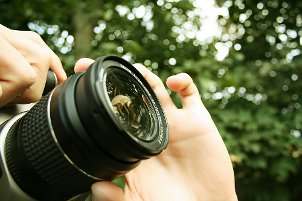
Photographer using a digital camera with a UV filter


Things You Need:

  • Digital camera
  • Assortment of camera filters

Having the right lens filters on your camera can enhance your photographs in interesting ways before they ever touch a computer. You'll find many types of photo filters, designed to reduce glare, soften colors or just protect your camera lens. This article will help you decide which type of lens filters will produce the effect you're looking for.
Choosing a Photo Filter:

  • Determine the size of your lens. Usually, photo filters are used with digital SLR cameras. Examine the end of your camera lens barrel for a circular symbol with a line through it, followed by a measurement in millimeters (mm). Use this lens measurement as a guide for selecting photo filters.
  • Select a filter based on photo effect. Each photo filter has a different effect on the resulting photo.

    Photo Filter Effects
        - Anti-glare: If you want to reduce glare coming from reflective surfaces, like water or glossy materials, try a polarizing filter. Polarizing filters can also darken the sky in your photos, putting focus on the foreground.
        - Haze removal: A UV filter is a good choice if you want to clarify your image from haziness caused by ultraviolet light, especially in heavy sunlight. These camera filters are good for protecting the lens without altering your shot too heavily.
        - Blur and selective focus: A neutral density filter will allow you to take longer exposure shots with a blur effect, without changing the color balance of the photo. Graduated neutral density filters feature partial attenuation, or "tapering," of light, allowing you to have selective focus around one area of your shot.
        - Contrast reduction: You can soften up a shot by using a diffusing filter. Different diffusion filters use different methods to produce the softening effect, reducing contrast and creating a dreamy haze around your photo without compromising color.

  • Choose filters with optical coating. Not all photo filters feature the protective optical coating that is designed to cut down on glare in your shots. Be sure to eliminate this problem from your photography by selecting quality photo equipment with this coating.

Tips on Taking Great Photos of Mt. Kilimanjaro

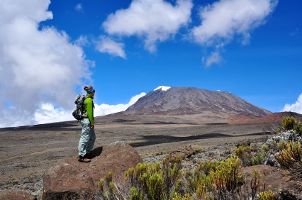
Mt. Kilimanjaro
Climbing Mount Kilimanjaro is the experience of a lifetime, and photos of the event are ones you will treasure for the rest of your life. Your Mt. Kilimanjaro pictures can be saved in a scrapbook, published on the Internet and hung in your home as personal, meaningful works of art. Taking great photos of Africa's highest peak can be simple and fun with a quality digital camera and simple photography crash course. Use our tips to take stunning photos of this beautiful landscape.
Outdoor Photography Tips:
  • Choose the right camera. You will want to consider several when shopping for digital cameras. Digital cameras come in many types, from advanced models to the simple, basic varieties. Amateur photographers should consider choosing basic user-friendly digital cameras that will let them focus on their Mt. Kili trip rather than on complex camera features. Photographers with more experience, on the other hand, will benefit from a digital camera that gives them the functions and features they desire to take breathtaking photos while climbing Mt. Kilimanjaro
  • Consider photo composition. One of the most important things to consider when taking amazing photographs is composition. Smart photo composition can turn a mediocre shot into a striking picture worthy of an art gallery. Use composition to draw the eye across the Mt. Kili landscape by positioning the shot with a mountain, boulder or cliff in the corner of the frame. Experiment with unique composition by taking photographs closer or farther away than you normally would. If you wind up with a few photos that seem a little bland, use photo editing software to change the composition and crop scenes in a unique way. You can document your experience of climbing Mt. Kilimanjaro in style when you remember photo composition.
  • Photograph memorable moments. How will you want to look back on your trip up Africa's highest peak? You'll likely adore your breathtaking landscape photos, but don't forget to capture memorable moments. Photographs of a difficult afternoon or trail, a moment that made you laugh or cry, or even a favorite piece of equipment will bring memories back long after the experience is over. Keep your camera handy and don't be afraid to take pictures that will be more meaningful to you than anyone else.
  • Don't forget people. It is easy to get caught up in the landscape of a beautiful nature scene and snap photos of every lovely tree, rock and animal. While these photos will be beautiful memories of everything you saw, don't forget to include photos of all the wonderful people on your journey. Capture photos of fellow hikers in front of summit signs or heading up an especially long and steep trail. Take pictures of friends sitting around a campfire or brushing their teeth. These candid shots will take you back to those special moments and inspire you to stay close to your fellow Mt. Kilimanjaro climbers.

Best Reasons to Use Tripods for Digital Photography

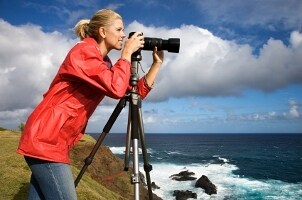
Woman using a camera and tripod on the seashore
Whether you are a professional photographer or a hobbyist, you are probably always searching for ways to get that perfect shot. The right photo accessories can go a long way to helping you push the limits of your photographic skills. Tripods are one of the most basic accessories to include in with your gear. And depending on the type of photography you are into, your requirements for a camera tripod may vary. Here are a few points on the plus side of using tripods.
Best Reasons to Use a Tripod:
  • Save your arms: If you are planning on shooting for an extended period of time, either with a digital camera or a camcorder, tripods can hold the camera at the ready. A SLR camera with a telephoto lens can be on the heavy side, which will feel even heavier after hours of taking photographs; so using tripods can really take the strain off your upper arms and shoulders.
  • Steady your shot: No matter how steady your grip may be, it is not as steady as a tripod that is sitting on a solid surface. Flexing tripods can use nearly any surface, such as a railing or chain-link fence, to hold your camcorder or camera steady. Avoid motion blur in your shots and cut out camera-shake when shooting video by always using a tripod to steady your shot.
  • Protect your gear: You camera will be much steadier if it is attached to a tripod instead of resting on a wall or balanced on your knee. All it takes is getting jostled or losing your balance to bump or drop your camera. Tripods are definitely worth using to avoid scratched, cracked or broken lenses.
  • Time-lapse photography: If you are doing time-lapse photos or video, it is just impractical not to use a tripod. Tripods will keep cameras steady for hours while you capture some impressive images.
  • Auto shots: Manufacturers include timers on their cameras for a reason. A mini tripod can be just the thing you need to get out from behind the camera and into the shot for once.

How to Use a Digital SLR Camera

Shooting outdoors with a digital SLR camera
You may be using your digital SLR camera in full-auto mode, and that will produce some great shots for you. But the automatic features on your digital SLR are still not as accurate as you can be when you know how to manipulate the settings yourself. So, when you're ready to take off the training wheels, here are some tips on adjusting your digital camera settings for stunning, professional-looking shots.
Using a Digital SLR Camera:
  • Eliminate motion blur. Hold your arms close to your body when shooting. This will keep your digital SLR steady, and you'll get sharper shots with less blurring. Also, if you're shooting action shots, where your subject is moving a lot, adjust your shutter speed on the camera to get a quicker exposure.
  • Adjust your image-quality settings. Your digital SLR will have several image-quality settings, which affect the level of detail captured in each image. Usually, the settings will be labeled as high, medium and low. The detail you choose will usually depend on the subject you'll be shooting. Close-up shots of flowers, faces and textured objects will do better with a high-detail setting.
  • Adjust brightness and white balance. Your digital SLR camera is good at adjusting light levels, but sometimes you'll need to take over. Adjust your white balance to make sure bright lights and colors don't overwhelm your photo and wash out other colors and details.
  • Change ISO speed for darker shots. The ISO settings on your digital SLR affect how sensitive your camera sensor is to light. If you're in a low-light area, boost the ISO on your digital SLR to make sure you don't get a blurry or dark photo.
  • Explore your digital SLR menu and settings. Your camera has plenty of settings to accommodate several kinds of shooting. These settings do some of the work for you when you want to use your digital SLR to shoot portraits, landscapes, close-ups, action shots and night shots.

Digital Camera Glossary

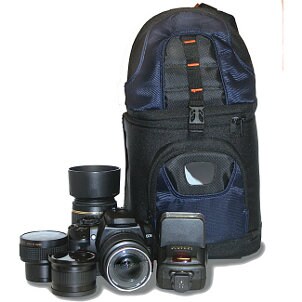
Digital camera with lenses and a camera bag
Digital photography makes it easy for anyone to produce great digital photos to share with friends or to use on their personal Webpage. Understanding a little of the terminology surrounding digital cameras will help you better understand how your camera works and how to take advantage of more features.
Digital Camera Terms:
  • Picture format: The picture format is the type of data file used to store digital photos, some of which compress the file to save memory space. Common current formats include GIF, JPEG, PNG and TIFF. You can convert between different formats using photo manipulation software. The compression of photo files can lead to a loss in image quality. Each file format compresses differently and takes up a different amount of memory. Many digital cameras give you the option of capturing images in a RAW file format, which features minimal processing and no compression, but takes up much more memory.
  • Image browser: This software enables users to view digital photos on a computer. It also allows renaming of files, conversion from one format to another, adding descriptions and tagging files with content labels.
  • ISO (sensitivity) rating: The International Standards Organization (ISO) sets the mark for light sensitivity in digital cameras. Most digital cameras have adjustable ISO settings. ISO100 is the basic setting for most digital cameras, although some go down to ISO50. Sensitivity can be increased to 800 or even 3,200 on high-end digital SLRs. Increased sensitivity means less light is needed to capture the image, but greater distortion or graininess can creep into photos captured at a higher ISO.
  • White balance: White-balance features allow your digital camera to correct color distortions from artificial light. Digital cameras can scan a light-colored target to electronically neutralize the off-color lighting, producing more natural looking digital photos.
  • Digital single-lens reflex: This is a unique viewing system, which allows the viewfinder of your DSLR camera to display the view from the actual camera lens. A system of mirrors and prisms reflects light from the lens to the viewfinder. When you take a picture, the mirror slides away, exposing the sensor to light.
  • CCD: A charged-coupled device (CCD) is the sensor that your digital camera uses to translate light into digital information. The bigger the sensor, the more light and detail your digital camera can capture. Digital SLR cameras usually have larger CCDs than smaller point-and-shoot models.

Perfecting Your Shot with Digital Cameras

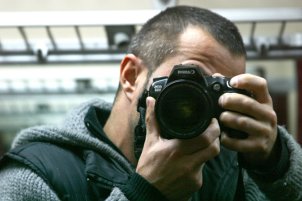
Young photographer shooting with a digital camera
With a decentdigital camera, you can start honing your craft as a photographer. Digital photography is more an art than a science. And while experience is the best teacher, there are a few photography tricks you can learn right away that will help you take even better photos with your digital camera.
Digital Photography Tips:
  • Steady your shot.A shaky digital camera takes blurry digital photos. If you don't have a tripod, you can steady your digital camera by holding your arms against your body. As you take the photo, exhale and hold your breath. These little tricks help reduce any movement in the digital camera as you shoot.
  • Balance objects in the frame.Even if you're digital camera takes great photos, your shots can still look off if they're not properly balanced. If you're shooting photos of people, make sure the faces are between the middle and top of the viewfinder. Make sure you don't put too much headroom in the photo, as it takes focus off of your subject. For landscape shots, make sure the horizon is near the middle of your digital camera viewfinder. Too much sky will unbalance your digital photos.
  • Use close-up settings for portraits.DSLR digital cameras will automatically adjust for close-up photography, but other cameras may require you to adjust the lens. This adjustment changes the focal point of the digital camera lens so your photos remain clear.
  • Soften your flash to reduce glare.The bare flash on digital cameras can often be a bit harsh, especially when reflecting off of skin, causing faces to look shiny or washed-out. You can soften the flash on your digital camera by using a matte filter or other reflector over the flash.
  • Be conscious of light.The intensity of light received by your digital camera largely determines how the photos will turn out. While some digital cameras can artificially adjust light levels in your digital photos, it can only do so much before the photos look unnatural. Experience in digital photography will teach you how to judge the balance between light and shadow, and how to use filters to capture subtle colors.
  • Experiment with ISO settings.The ISO setting on digital cameras controls the sensitivity of the camera's sensor to light. In low-light situations, a higher ISO setting on your digital camera will allow you to capture more detail. However, higher ISO settings introduce more graininess into your digital photos.
 

Followers

ขับเคลื่อนโดย Blogger.

Site Info